
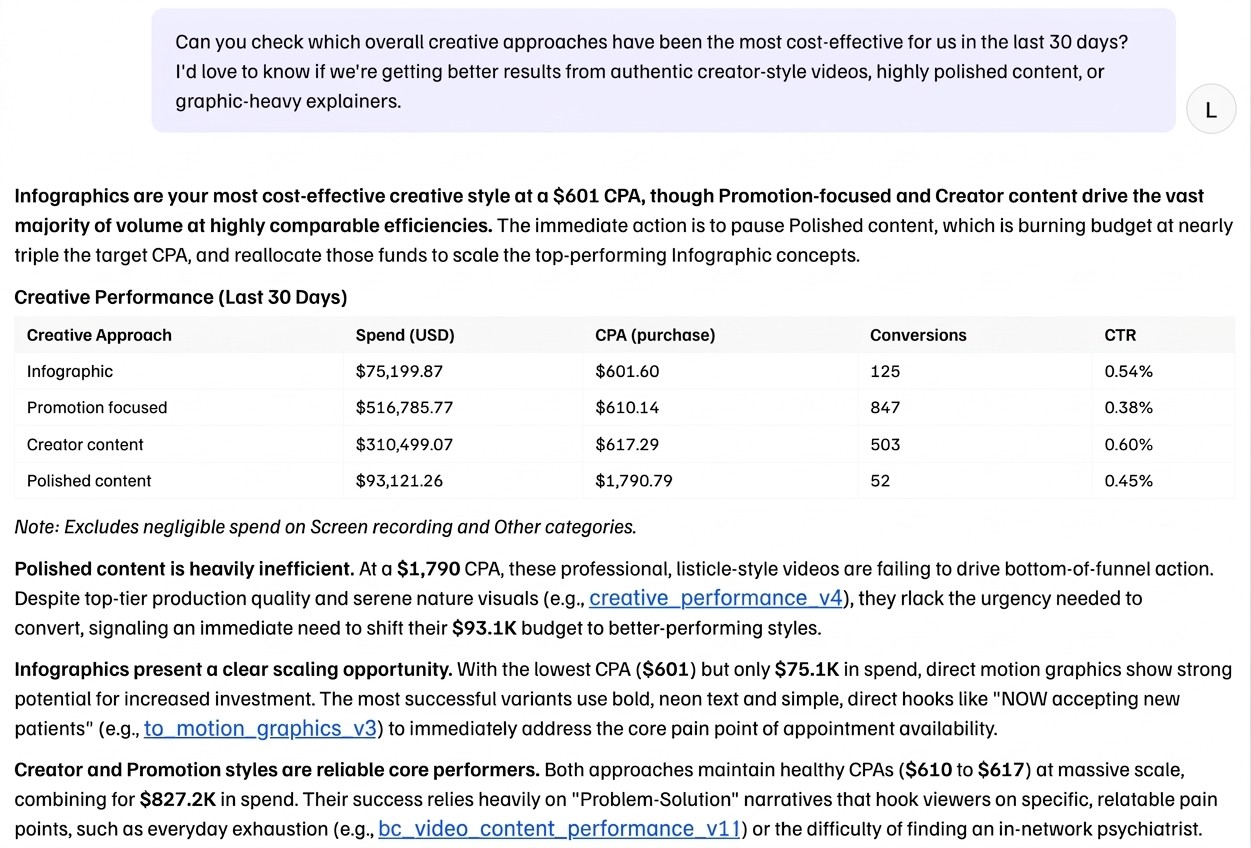
Meta ad data is messy. Chat makes it reliably queryable: ask plain-language questions, get answers grounded in your actual performance data.
What's new
Improved creative-level analysis: ask how a specific creative style or format performs across campaigns and markets
Inline feedback: like, dislike, and copy on every response to improve the system replies over time
Scatter plot support: plot your data on a scatter to spot patterns visually
Coming next
Standard reporting: set up report templates that match your format and style. Chat fills them in with fresh data, so you skip hours of manual report building.
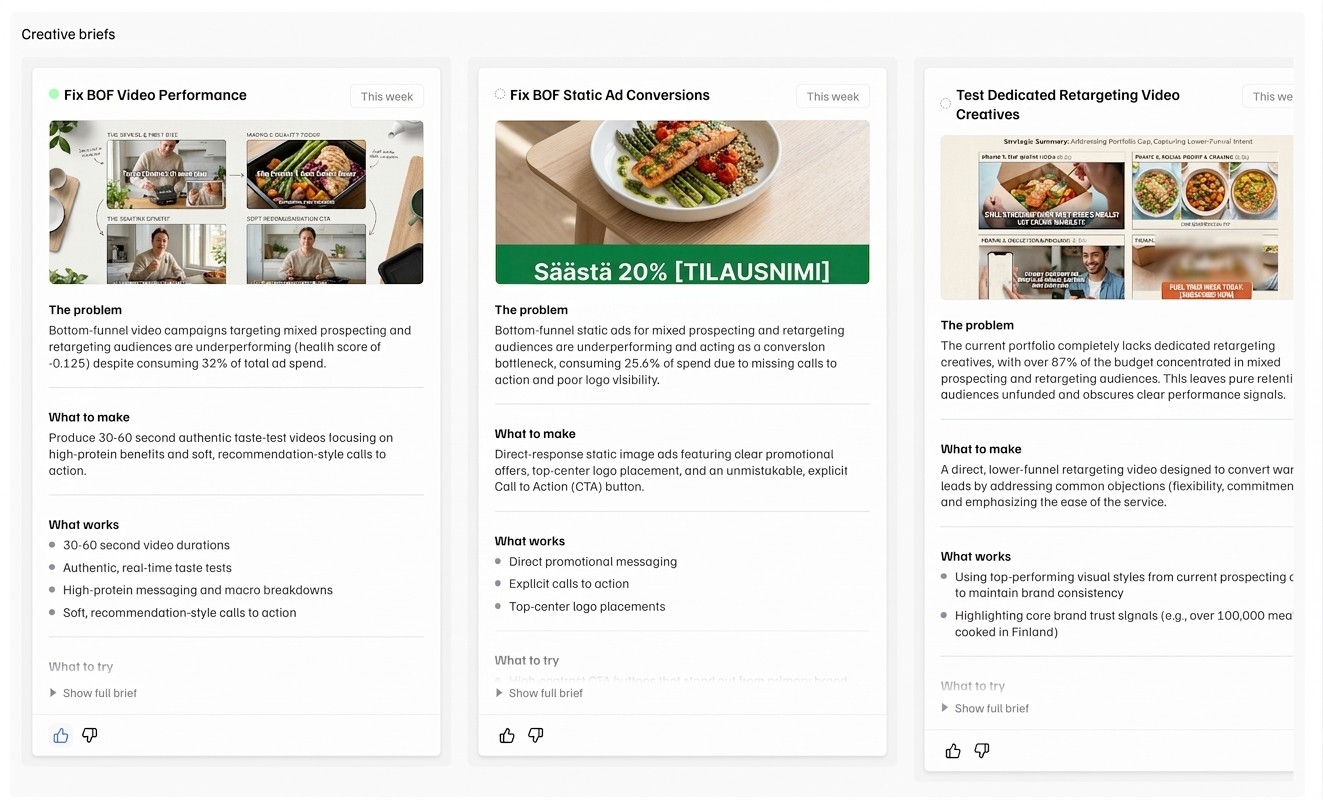
Before, Creatives told you which media perform and which ones don't. Now, it recommends what to produce next. Creative Briefs turns your winners and losers into creative recommendations in a relevant context.
What's new
Creative Briefs: recommendations for your next creative production batch, based on deep, context-aware creative element level analysis.
Coming next
Continuous creative optimisation: Moves spots fatigue, Creatives recommends the replacement. You always know what to produce next, before you need to.
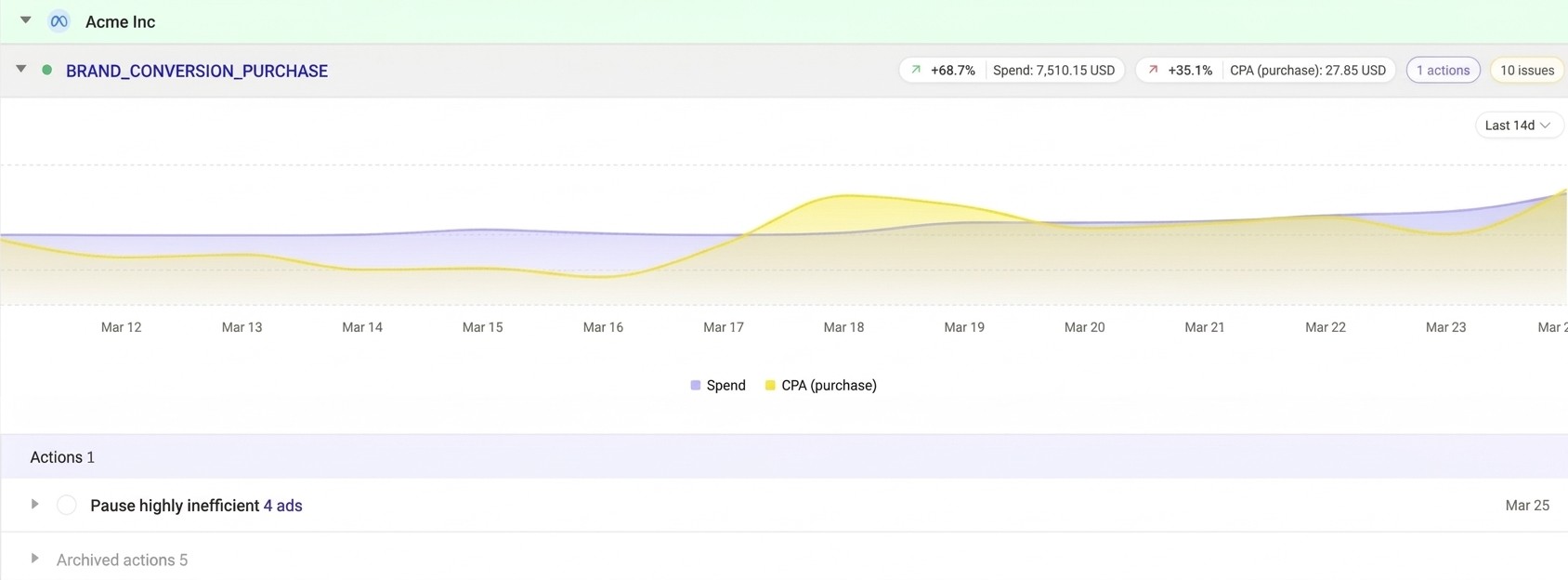
Moves watches your ad account 24/7 and tells you what needs action. Our recent fixes make the recommendations more trustworthy.
What's new
Smarter pause recommendations: Plug now recognises when an ad is still learning and won't tell you to kill it too early. You only see "pause this" when the data backs it up.
Coming next
One-click execution: see a recommendation you agree with? Plug takes the action in your Meta ad account. No more switching to Ads Manager.
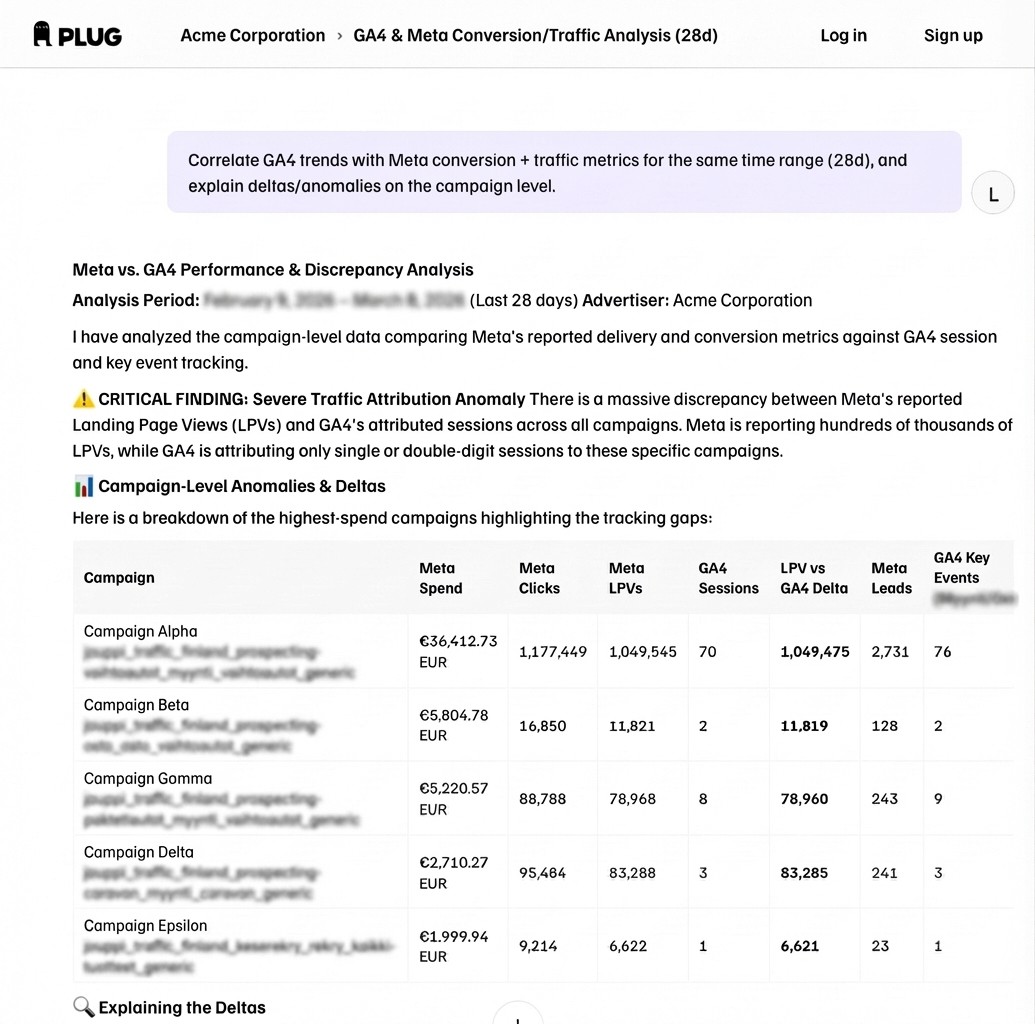
You can now ask questions across Meta and GA4 in one conversation.
Example: "Which traffic sources drove the most purchases this week?"
Chat pulls from your connected GA4 properties and links directly to the relevant GA4 report.
Also improved: better handling of custom conversions, so answers are more accurate.
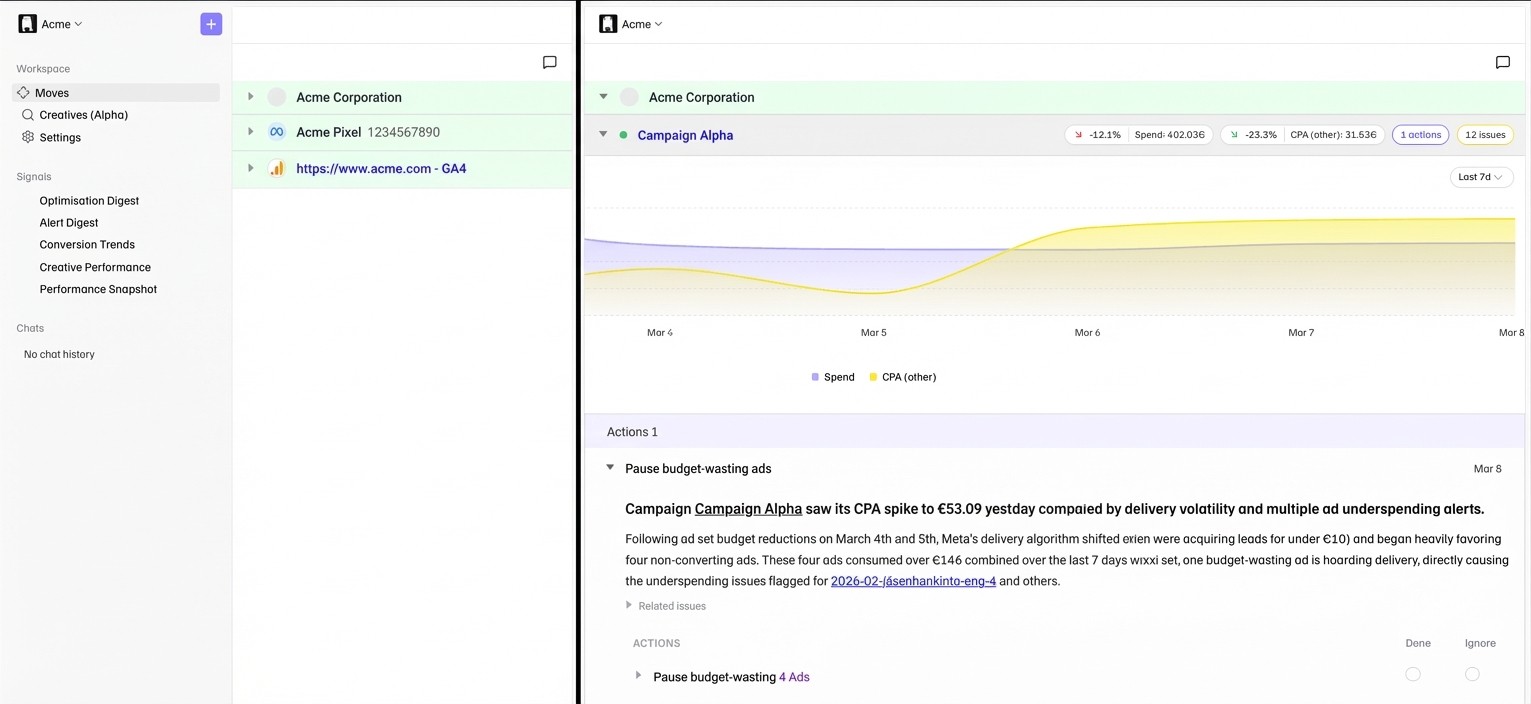
We've upgraded the Moves analysis engine to surface more accurate and actionable recommendations for campaign-level issues.
What changed
Issues are now grouped by type for easier scanning
Action recommendations link directly to the flagged entity in Ads Manager
Expanded rule coverage: pixel and GA4 tracking, more campaign-level patterns
Improved handling of stale and resolved issues
Coming next
"Autocomplete" for action recommendations: act on certain flagged issues with one click.
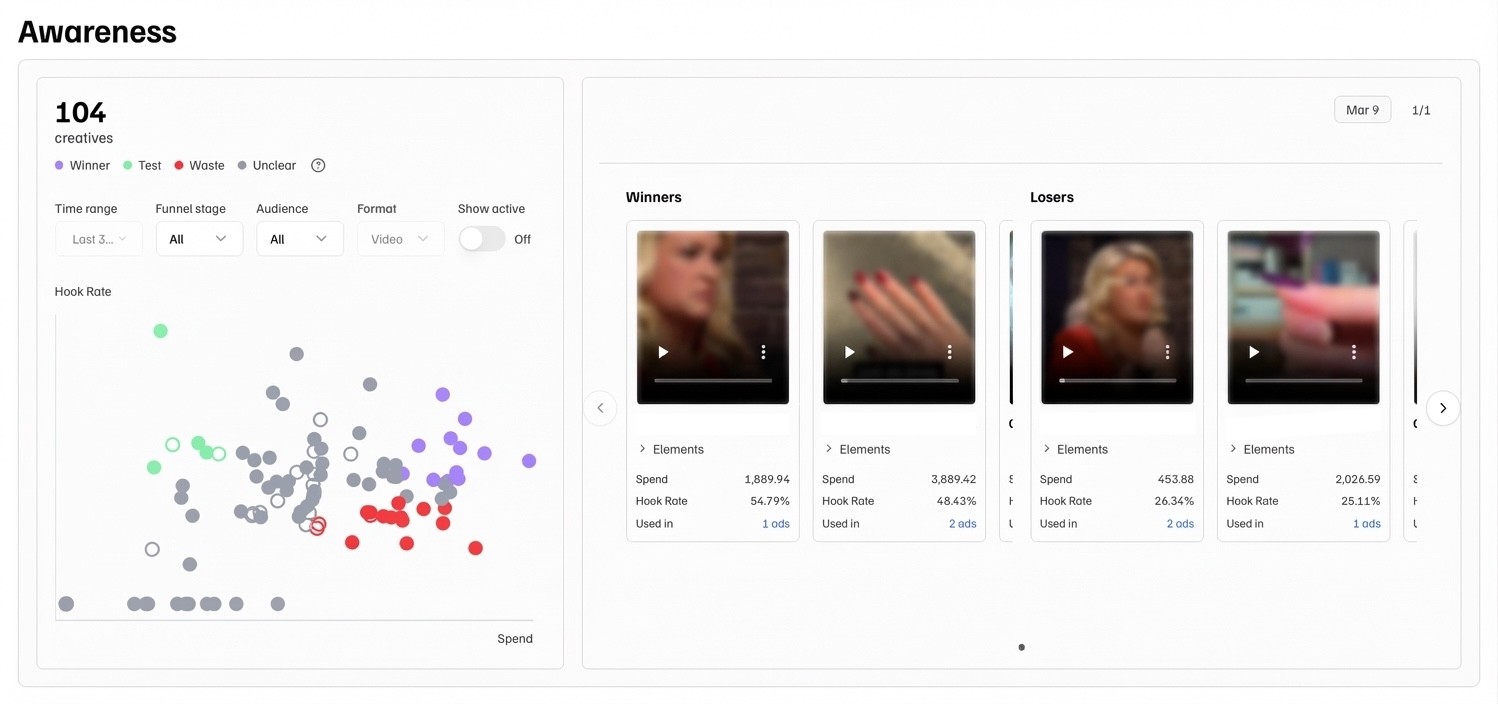
We've launched Creatives (Alpha): a new page for understanding creative performance and preparing your next batch.
Which creatives are delivering? Which ones are wasting budget? Creatives answers these questions without digging through Ads Manager columns or laborious spreadsheet exports.
What's live now
Scatter plot showing creative performance, updated daily
Weekly winners and losers highlighted with thumbnails
Filter by ad account or label
Where are we taking this
Analysis of why winners are winning, and creative briefs that suggest what to try next, with examples.
Find Creatives in your sidebar. We're collecting feedback on what's useful and what's missing.
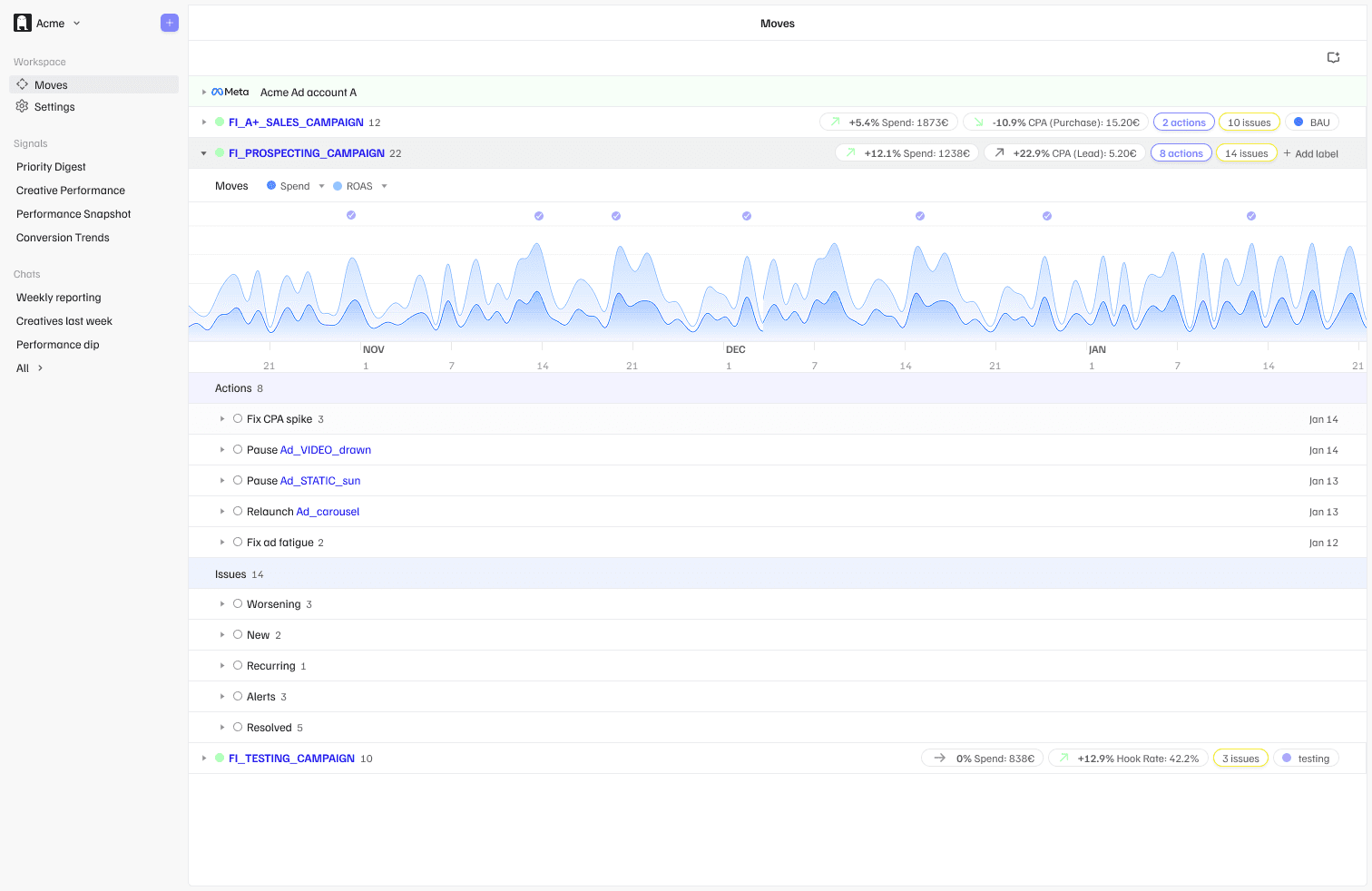
We’ve introduced Moves: a new feature for investigating performance issues and acting on them.
When an account underperforms, finding the root cause often means manually digging through campaigns, ad sets, and creatives. Moves brings that workflow into one place.
What it does
Lists flagged issues and analyses root causes
Recommends specific actions to resolve them
Groups everything by campaign for easier prioritisation
Lets you mark actions as Done or Ignore
Includes deep links directly to Ads Manager
Moves refreshes daily based on your Optimisations schedule. We’re starting with selected issue types (e.g. CPA spikes, underperforming campaigns). Coverage will expand over time.
How it connects
Alerts and Optimisations notify you something needs attention.
Moves gives you the full context and recommended next steps.
Open Moves in the app to see what’s flagged, no setup required.
Coming next
Creatives feature with performance insights and briefing support
Simplified Slack Signals with clearer actions
GA4 data in Chat
We’ve upgraded the Optimisations signal for campaigns tagged testing so Plug now automatically recommends when a creative is ready to graduate into always-on, or when it should be paused.
What changed
Graduate — Testing ads in the top 50% for both click-through rate and cost efficiency
Pause — Testing ads in the bottom 25% on either metric after 9+ days
Not picking up — Ads that haven’t received meaningful impressions after 9+ days
This means less manual monitoring — Plug helps you know what’s working and what’s not faster.
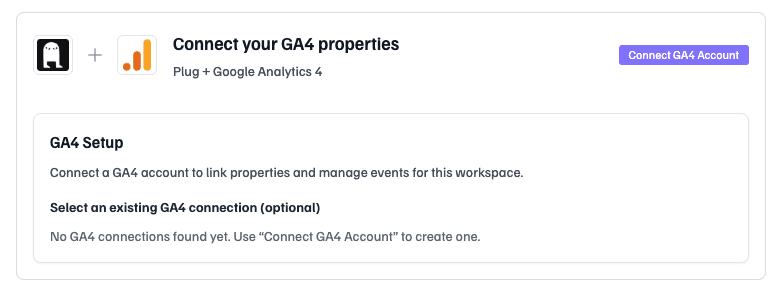
You can now connect your Google Analytics 4 properties to Plug and get proactive alerts when key events drop — across your site or by traffic source.
What Plug monitors
Key Events synced directly from GA4 (purchase, begin_checkout, generate_lead, etc.)
Week-over-week conversion changes by source (facebook/paid, google/cpc, organic, direct)
Property-wide drops across all traffic
Daily anomalies and sudden event failures
Why it matters
Tracking issues and conversion drops often go unnoticed for days. Plug now monitors GA4 automatically, so you catch problems fast.
Where it shows up
GA4 signals are embedded directly into Alerts and Optimisations.
How to connect
Go to Settings → Integrations
Click Connect GA4 Account
Select your GA4 properties
Sync your Key Events and choose what to monitor
Coming soon
GA4 data in Chat, so you can ask questions like:
“Which traffic sources drove the most purchases this month?”
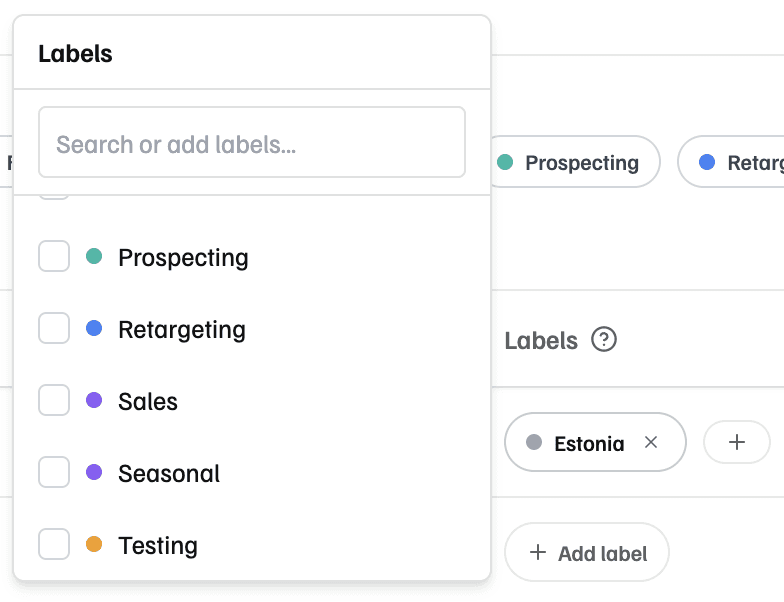
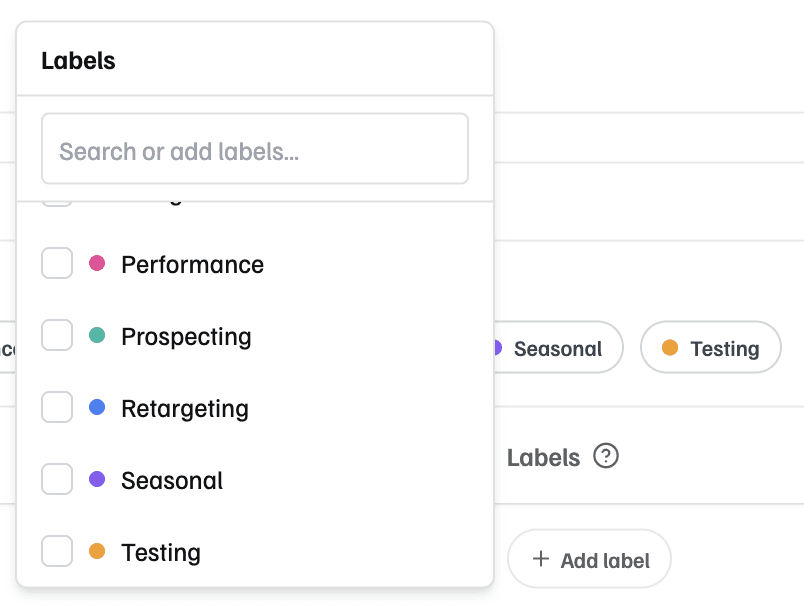
You can now label campaigns and receive separate Performance Snapshots per label.
Useful if you:
Run campaigns across multiple markets (SE, DK, FI)
Manage different business units or brands in one ad account
Want to separate testing from always-on activity
How it works
Add labels under Settings → Campaigns
Choose which labels get their own Snapshot in Settings → Signal Delivery
Optionally include unlabeled campaigns in a combined Snapshot
Unlabeled campaigns stay grouped together by default — no need to label everything.
Coming next: campaign labels across more Signal types.
No changes needed if this isn’t relevant for your setup — campaign exclusion still works as before.
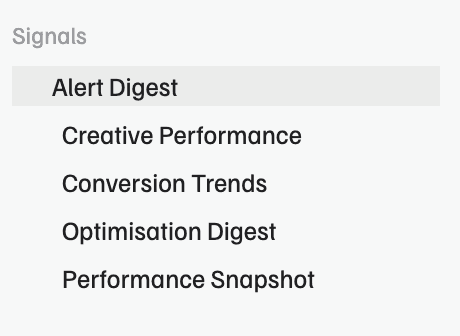
We’ve split the Priority Digest into two clearer streams:
Alerts — urgent issues that need immediate attention
Optimisations — improvement opportunities you can act on when convenient
This makes daily monitoring lighter and more focused.
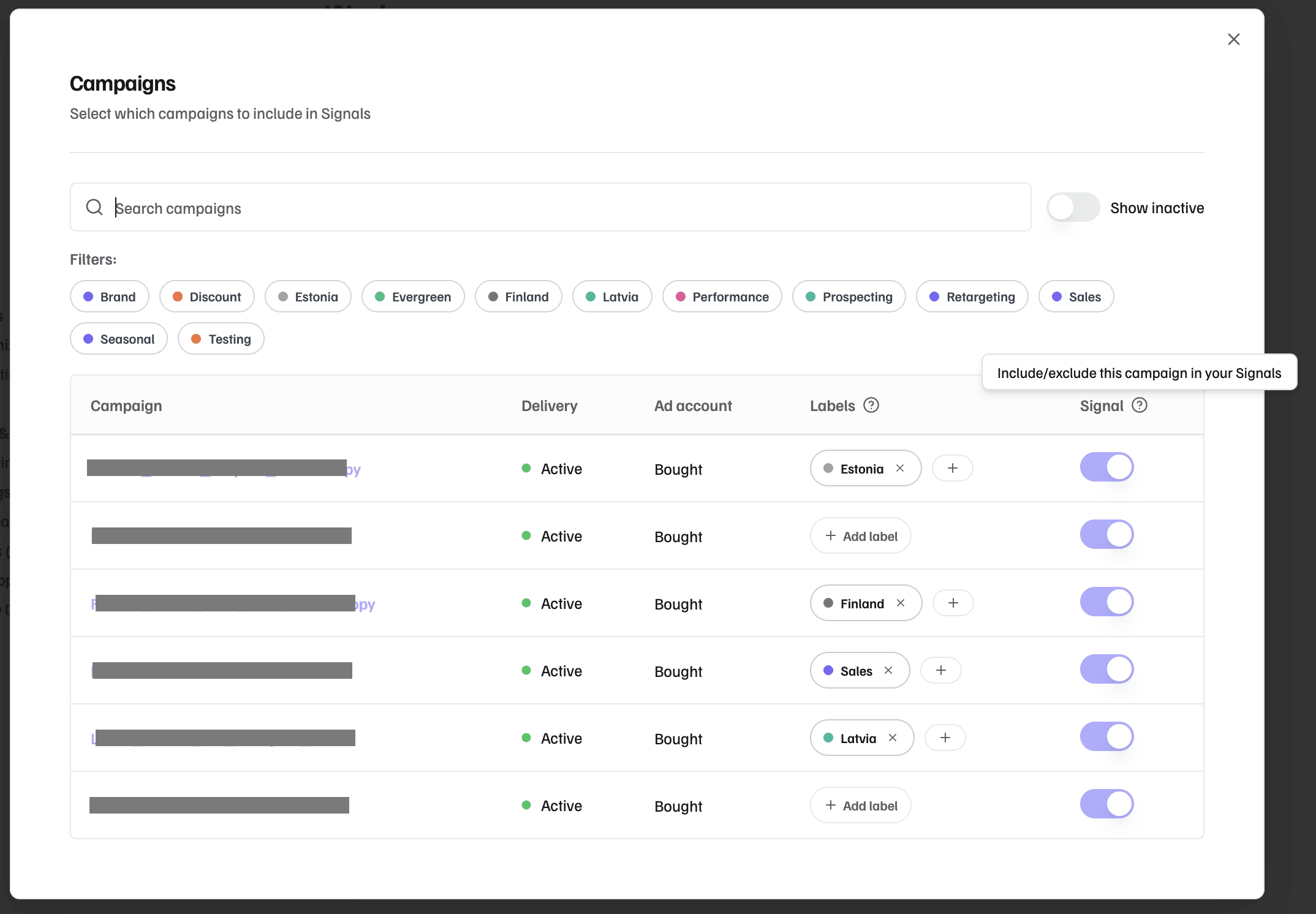
You can now choose which campaigns Plug includes in Performance Snapshot.
Configure it anytime under Settings.
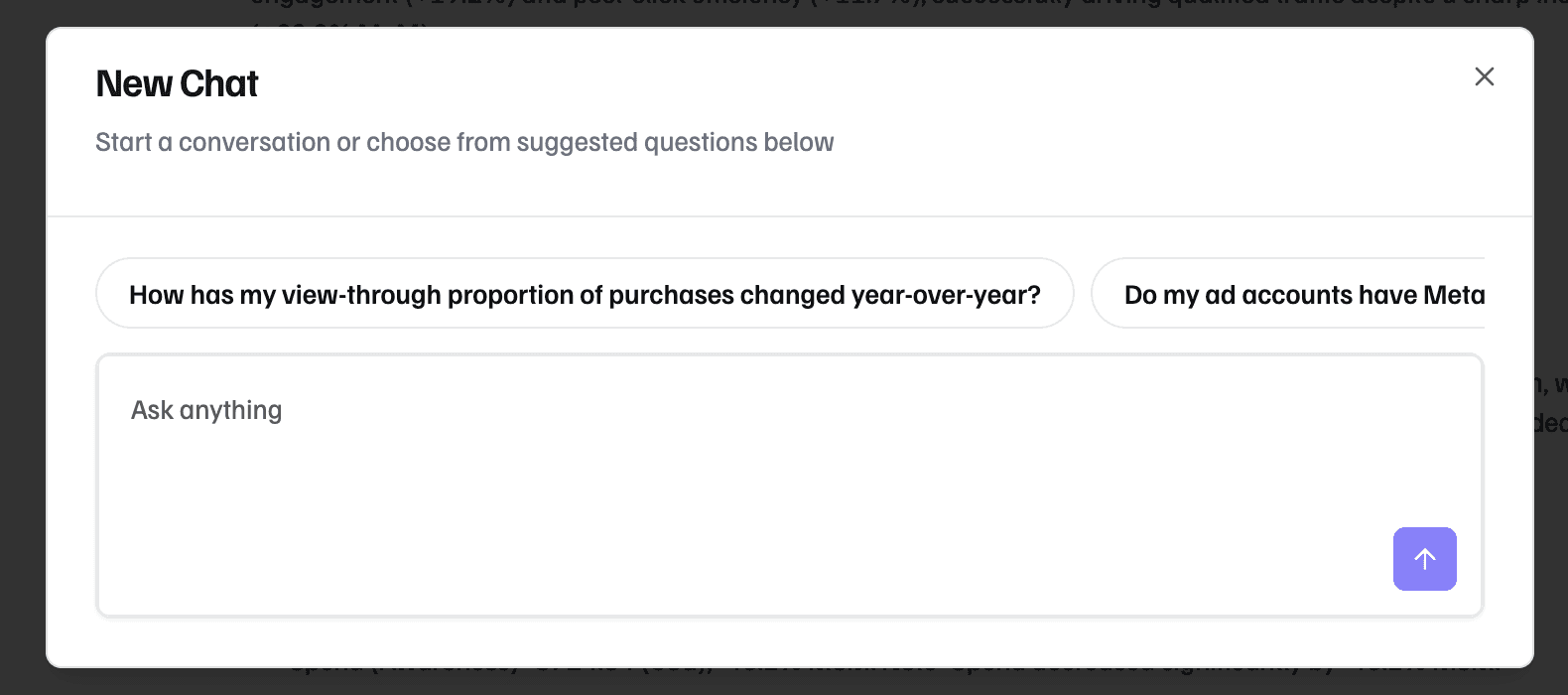
We’ve rolled out new updates to make Chat more flexible and easier to use:
Start conversations anytime — not only from Signals
Suggested questions help you get going when you’re not sure where to start
Follow-up prompts keep the conversation moving
Share full conversations with your team in one click
We’re opening up the first version of Plug Chat — a new way to ask questions about your Meta performance in plain English.
Instead of exporting data or digging through dashboards, you can simply ask:
“Why did CPA spike last week?”
“Which creatives performed best in October?”
“Give me a 30-day recap with creative insights”
Chat is already connected to your workspace context and campaign data, so answers are grounded in what’s actually happening in your account.
Early access is live in the app.
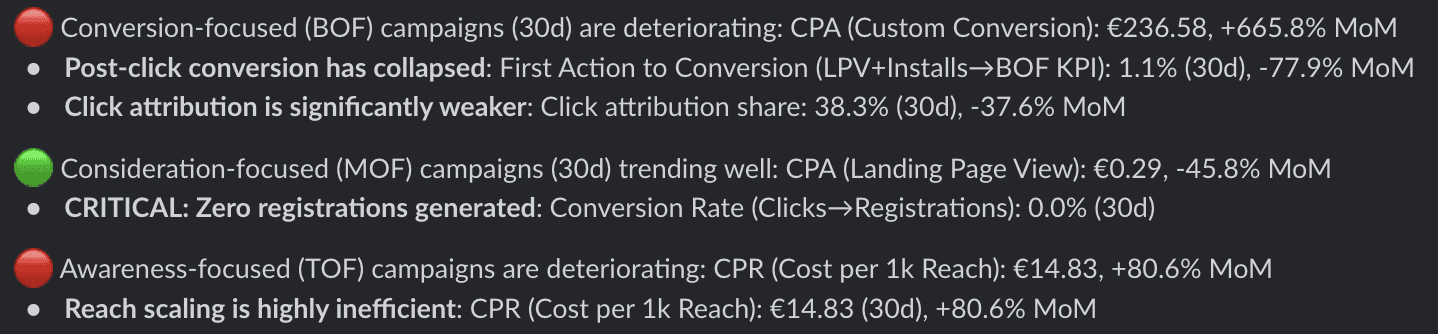
We’ve launched the new weekly Conversion Trends signal — full-funnel diagnostics in a single view.
Also included: ongoing usability improvements across Slack and the app

Plug now includes the core building blocks for proactive Meta monitoring:
Direct Meta integration to securely connect ad accounts
Deep links into Ads Manager for faster execution
Multi–ad account grouping for agencies and multi-market teams
Slack-based Signal delivery with Performance Snapshots and Priority Digests
Recommendation memory to reduce repeated alerts and keep focus on what changed